macOS menu bar app
MusEQ

Audiophile-grade headphone EQ
for Apple Music

Bit-perfect sample rate matching, 32-bit float parametric EQ, and seamless profile management. Your headphones, your way.

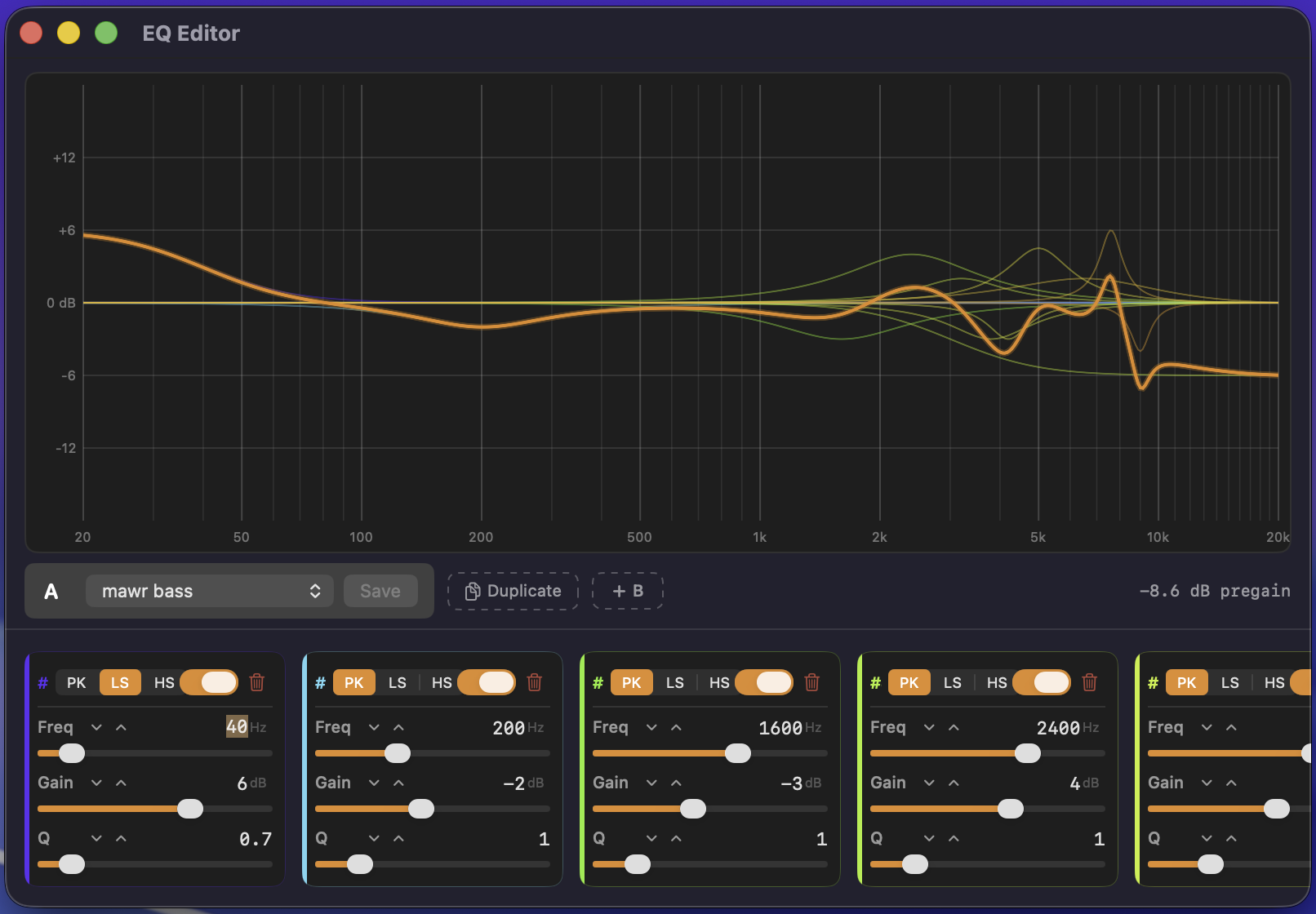
MusEQ EQ Editor — parametric equalizer with frequency response graph, filter controls, and A/B profile comparison

Everything you need for perfect playback

Purpose-built for the macOS audiophile workflow. No bloat, no drivers, no kernel extensions.

Fast Sample Rate Matching

Monitors Apple Music and switches your output device to the track's native rate. No audio gaps. Bit-perfect, every time.

Parametric EQ Editor

Live frequency response graph from 20 Hz to 20 kHz. Add, remove, and reorder filters. Adjust frequency, gain, and Q with precision sliders.

32-bit Float Precision

Biquad filter coefficients computed in 64-bit, applied sample-by-sample in 32-bit float. Maximum accuracy with zero compromise on performance.

Auto Pregain

Calculates peak filter response and sets compensating pregain with optional headroom. Ratcheted design: volume can only decrease, never silently increase.

A/B Profile Comparison

Dual-tab mode for side-by-side comparison. Intelligent level matching ensures a fair A/B test — no loudness bias, just the EQ difference.

Organized Profiles

Multiple named profiles per headphone, organized by model in the menu bar. Switch EQ with a single click. Plain text files you own and control.

Sits in your menu bar. Stays out of the way.

MusEQ works alongside Apple Music — no separate player, no audio hijacking, no complicated routing.

1

Load a Profile

Import from AutoEQ, Squig.link, or oratory1990 PDFs. Or build your own from scratch in the parametric editor.

2

Play Apple Music

MusEQ monitors playback and automatically matches the output sample rate to each track. No manual switching needed.

3

Listen

Your EQ is applied in real time at 32-bit float precision. Pregain is managed automatically. Just enjoy the music.

Works with the tools you already use

No lock-in, no proprietary formats. MusEQ speaks the same language as the most popular headphone EQ tools.

EQ Profile Import

Import EQ profiles from the community's most trusted sources, or build your own from scratch.

ParametricEQ .txt

The standard format used by AutoEQ and Squig.link. Import, edit, and share freely.

oratory1990 PDF Import

Import an oratory1990 measurement PDF and MusEQ extracts the EQ preset automatically.

Plain Text Storage

Profiles live in ~/Documents/MusEQ/, organized by headphone model. Version control, sync, or share them however you like.

~/Documents/MusEQ/Sennheiser HD650/Harman Target.txt
Preamp: -6.2 dB
Filter 1: ON PK Fc 105 Hz Gain -3.2 dB Q 0.71
Filter 2: ON PK Fc 788 Hz Gain -1.8 dB Q 1.41
Filter 3: ON PK Fc 1690 Hz Gain +2.1 dB Q 2.00
Filter 4: ON PK Fc 3450 Hz Gain -4.5 dB Q 1.30
Filter 5: ON PK Fc 5200 Hz Gain +3.8 dB Q 3.00
Filter 6: ON PK Fc 7800 Hz Gain -2.4 dB Q 4.50
Filter 7: ON PK Fc 10200 Hz Gain +1.5 dB Q 2.20

EQ By Ear

Skip export/import and create your personalized EQ profile directly in MusEQ. Switch to system-wide audio capture, play a sweep or tone through any of these tools, and tune your filters in real time.

Introductory pricing

Less than a coffee a month

Audiophile-grade EQ and bit perfect playback
for the price of a single lossless track.

Monthly

$2.99 /mo

$35.88/year

  • All features included
  • Cancel anytime
Save 44%

Annual

$19.99 /yr

Just $1.67/mo — save $15.89

  • All features included
  • Cancel anytime
  • Best value

Coming soon to macOS 14+

MusEQ is in active development. Sign up to be notified when it launches.

No spam. One email when MusEQ launches.